

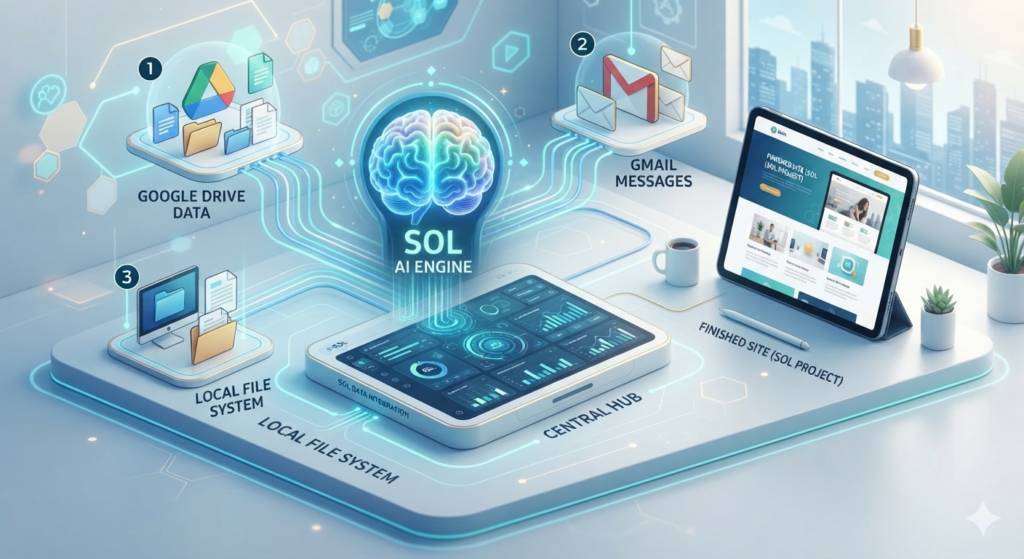
What is ChatGPT Work? ChatGPT Work is a new specialized mode within the OpenAI ecosystem designed to transition from conversational AI to autonomous task execution. Unlike the traditional “Chat” mode, which focuses on back-and-forth dialogue, ChatGPT Work is an agent-based platform that delivers finished work—such as spreadsheets, presentations, and interactive websites—directly into your professional workflow.
Key Features of ChatGPT Work
1. Local Folder Integration (Project Sync)
The most transformative feature of the desktop application is the ability to link a Project to a real folder on your computer.
- Direct Access: The AI reads all files within the selected directory (Excel, PDF, Brand Notes).
- Automatic Saving: When a task is completed, ChatGPT saves the new files (e.g., a 6-slide PowerPoint or a sales report) directly into your local folder.
2. The Power Engines: Sol, Terra, and Luna
OpenAI has introduced a new hierarchy of models to balance intelligence and speed:
- Sol (5.6 Sol): The high-reasoning engine designed for complex data analysis and coding.
- Terra: The balanced model for everyday professional tasks.
- Luna: A lightweight model optimized for speed and simple queries.
3. Desktop Pet (/pet) and Background Tasks
By typing the /pet command, users can activate a visual companion on their desktop. This mascot monitors progress and alerts the user (via an orange exclamation mark) if a task requires human approval or has been completed, allowing for seamless multitasking.
4. Scheduled Tasks and Connectors
ChatGPT Work functions as a “command center” by integrating with third-party tools like Gmail, Google Drive, and Notion.
- Automation: You can schedule recurring tasks, such as: “Every morning at 8:00 AM, triage my Gmail and draft replies for wholesale inquiries”.
How to Get Started
To unlock the full potential of ChatGPT Work, you must download the new Desktop App (separate from the “Classic” version). While the web and mobile versions support cloud-based work, only the desktop app allows for local file manipulation and scheduled background execution. 
Key questions
Is ChatGPT Work free?
The desktop app includes ChatGPT Work for all plans, including the free tier. However, access via web and mobile is currently restricted to paid subscribers.
What is the difference between “Chat” and “Work”?
“Chat” is for brainstorming, explanations, and quick questions. “Work” is for delivering completed deliverables like reports, presentations (Decks), and interactive web pages (Sites).
Does my computer need to be on for scheduled tasks?
Yes. For tasks involving local files or desktop-based automation, the computer must be on and the ChatGPT app must be open